
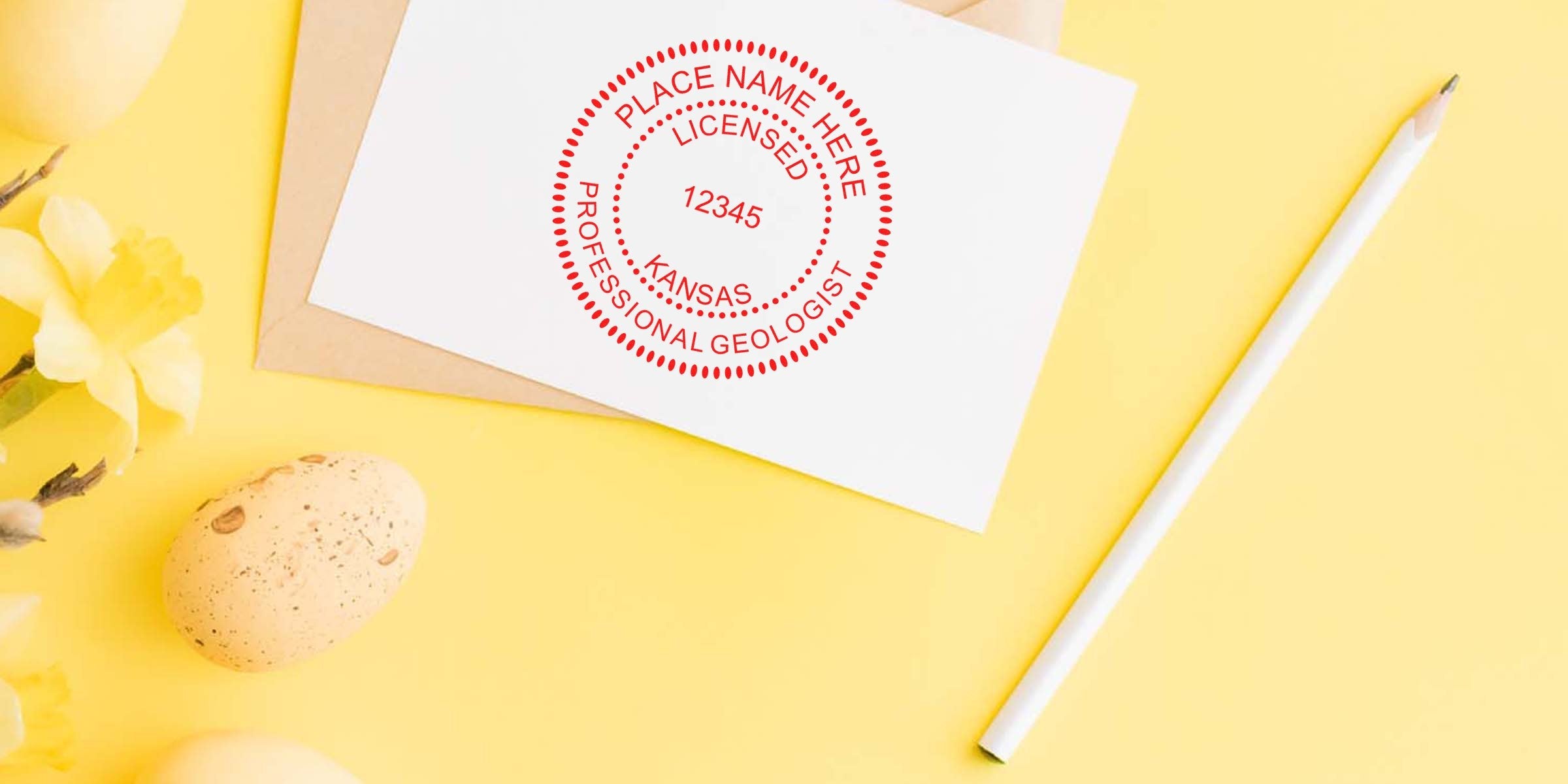
Discover The Kansas Geologist Stamp Size
If you’re wondering how to get the perfect Kansas geologist stamp size for your professional documents, you’re not alone. Many geologists find the sizing requirements a bit tricky, especially when they want to ensure their stamp or seal meets the state’s official standards. After all, a properly sized stamp isn’t just about aesthetics, it also helps you comply with Kansas Board of Technical Professions guidelines.
In this post, you’ll find practical tips on how to nail the dimensions of your Kansas geologist stamp or seal, suggestions for a neat layout, and advice for choosing a trusted supplier. By the end, you’ll feel more confident about your stamp purchase and better prepared to use your seal on everything from reports to diagrams.
Understand Kansas Stamping Rules
When you first look at Kansas’s stamping rules, it might feel like reading your morning coffee instructions in another language. No worries. The basic idea is that your stamp (or seal) must clearly display your name, your official license number, and the legend identifying you as a licensed professional geologist in Kansas. The text must be legible and arranged cleanly within your design.
The Kansas Board of Technical Professions also expects you to keep your stamp’s shape simple (circular or rectangular) and your text easily readable. This ensures anyone reviewing your documents can immediately verify your credentials. If you’re curious about all the specifics, you can see the kansas geologist stamp requirements for further details.
Why Compliance Matters
Following the official guidelines may seem tedious, but it protects you in the long run. Should your stamped documents face scrutiny, you’ll have peace of mind knowing everything is properly formatted. Plus, keeping your stamp design and size consistent with state requirements upholds professional standards across Kansas’s geological community.
Choose The Right Dimensions
In Kansas, the recommended diameter for a circular geologist stamp usually ranges around 1 5/8 inches to 2 inches, although the exact specifications can vary depending on the design. If you decide on a rectangular seal, you’ll often see measurements like 1 inch by 2.5 inches. These ranges give you enough space to display your name, license number, and “Licensed Professional Geologist” or “Kansas Licensed Geologist” text without crowding.
Helpful Dimension Tips
- Measure your text size carefully so letters stay legible. If your letters are too small, your seal may look blurry when stamped.
- Center your text for a crisp appearance, ensuring the spacing around each line is consistent.
- If you’re printing on documents with limited space, consider a slightly smaller diameter or height, but keep it large enough to meet visibility requirements.
Consider Shape And Layout
Circular stamps are popular because they’re simple to center on your documents. Rectangular stamps, however, may be a better fit if you prefer to align your information horizontally or if you often stamp in narrow margins.
Circular vs. Rectangular
- Circular Stamp: Easier to spot, with text often wrapping around the border. You can place the state’s name and license number in a curved arrangement that highlights your professional status.
- Rectangular Seal: Ideal when you need clear lines of text, especially if you have a longer name or want your license number on a separate line. The straight edges also line up nicely with letterheads or other document layouts.
Either shape works well, but the Kansas Board of Technical Professions recommends clarity above all. If you’re not sure which shape to choose, think about how you usually present your work and what would be easiest to read.
Follow The Board Requirements
Before you finalize that new stamp design, double-check you’re including all mandatory elements. Missing a required part (like the “Kansas Licensed Geologist” wording) or misplacing your license number can lead to delays or rejections.
Quick Checklist Of Must-Haves
- Your full name exactly as it appears on your license.
- Your unique Kansas geologist license number.
- Official text such as “Kansas Licensed Geologist” or “Licensed Professional Geologist.”
- High-quality, legible lettering that won’t smudge or fade.
Taking a moment now to verify these details will save you headaches down the road. You’ll be able to stamp your documents with confidence, knowing everything’s in perfect order.
Work With Acorn Sales
When it comes to investing in a Kansas geologist seal, teaming up with a trusted supplier makes all the difference. At Acorn Sales, we’ve specialized in stamps and seals for more than 60 years, and our experience shows in the quality of our products. We understand the fine points of compliance, so we’ll help you create a stamp that meets every Kansas standard.
The Acorn Sales Difference
- Time-Tested Expertise: Six decades of working with professionals, from engineers to geologists. We know the rules, and you can count on that knowledge when customizing your seal.
- Free Digital Seal: We offer digital versions of your stamp at no extra cost. This is especially handy if you need to submit electronic documents.
- Fast Shipping And Friendly Support: If you have any questions or last-minute adjustments, we’re here to help every step of the way.
Prepare Your Digital Seal
Did you know digital seals are becoming increasingly popular for online submissions and electronic document workflows? A digital seal mirrors the essential elements of your physical stamp, from your license number to the official Kansas text. It helps you maintain consistency across both types of files.
Digital Vs. Physical
- Digital Seal: Useful for PDFs and e-submissions. Ensures your credentials are verifiable in a digital environment.
- Physical Stamp: Ideal for papers, charts, or field reports. Provides a tangible, professional mark that you can physically deliver to clients or agencies.
Having both at your fingertips means you’ll always be prepared, no matter how your clients or colleagues prefer to receive documents. Acorn Sales’s free digital seal arrangement streamlines the process so you don’t have to chase multiple vendors.
Make Your Stamp Long-Lasting
Longevity is a big deal. After all, you’ll be using this stamp for multiple projects over the years. Choosing the right ink type, handle material, and manufacturing method can mean the difference between a crisp impression every time and a smudgy mess that fades before the job is done.
Tips For Durability
- Opt For Quality Ink: Consider fast-drying, archival ink if you stamp on specialized paper.
- Sturdy Handle: Wooden or plastic handles can both be durable, but ensure it feels comfortable in your grip.
- Proper Storage: Keep your stamp away from direct sunlight, and store it upright so the pad remains inked properly.
By taking these precautions, you’ll protect your investment for years, ensuring that whenever you place your seal on a document, it looks sharp and professional.
Use Your Seal Confidently
Once you have a well-crafted stamp in your hand (and a digital seal on your desktop), the next step is getting comfortable with the stamping process. Align your seal carefully with the spot indicated on the document, press down firmly, and lift straight up to avoid smudging. If you’re dealing with tight margins, practice a few times on scrap paper before stamping your final copy.
When To Stamp
- Reports & Studies: Placing your seal on the title or cover page ensures quick identification of your work.
- Maps & Diagrams: Stamping near the legend or margin helps viewers confirm the source quickly.
- Revisions & Addendums: Make sure any new document version also includes your updated stamp to maintain compliance.
Stamping consistently lets others know your credentials are legitimate. Over time, you’ll find the perfect rhythm for stamping multiple pages or quickly adding a seal to last-minute revisions.
Recap Your Key Steps
You’ve likely gathered a lot of information, so let’s do a quick rundown to keep things simple:
- Check Required Elements: Confirm your name, license number, and official Kansas geologist text.
- Stay Within Dimensions: Aim for around 1 5/8 inches to 2 inches in diameter for circular stamps, or similarly appropriate rectangular measurements.
- Pick A Shape: Choose circular or rectangular, whichever better fits your documents and layout preferences.
- Verify Kansas Rules: Refer to the kansas geologist stamp requirements for detailed guidance.
- Select A Trusted Supplier: Partner with a company like Acorn Sales for a smooth design process and a free digital seal.
- Ensure Durability: Look for high-quality materials and ink, and store your stamp carefully.
- Use It With Confidence: Practice your stamping technique, and consider adding your seal to all relevant documents.
Following these steps will help ensure your Kansas geologist seal is accurate, durable, and perfectly sized for official use.
By following Kansas regulations and choosing a credible supplier like Acorn Sales, you’ll get a Kansas geologist stamp that fits both the official guidelines and your personal preferences. Go ahead and order your new stamp (plus free digital seal) with confidence, and start stamping those reports, diagrams, and field documents with pride!
Frequently Asked Questions
What Happens If My Kansas Geologist Stamp Size Is Slightly Off?
You generally want to stick to the recommended dimensions so that your text remains clear and meets state guidelines. A small deviation is often acceptable, but make sure the license number and professional designation are clearly visible.
Can I Use A Self-Inking Stamp For My Geologist Seal?
Yes. Self-inking stamps are convenient because they have an internal ink pad. Just confirm the impression is crisp, and replace or re-ink the pad when you notice any fading.
Is A Digital Seal Really Necessary?
It’s not always mandatory, but many professionals appreciate the flexibility of a digital seal for online submissions. Acorn Sales provides a free digital seal, which is handy for those who want to cover both paper and electronic formats.
Do I Need A Special Ink For Geological Maps Or Field Documents?
If you’re printing on specialized substrates (like coated maps or waterproof field papers), you may want a fast-drying or waterproof ink. Talk to your supplier about your typical document types to find the best ink option.
How Often Should I Update My Stamp?
Unless your personal information or license number changes, you can use the same stamp for years. If you renew your license and it reflects a new number or professional title, you’ll need an updated stamp or seal right away.








