
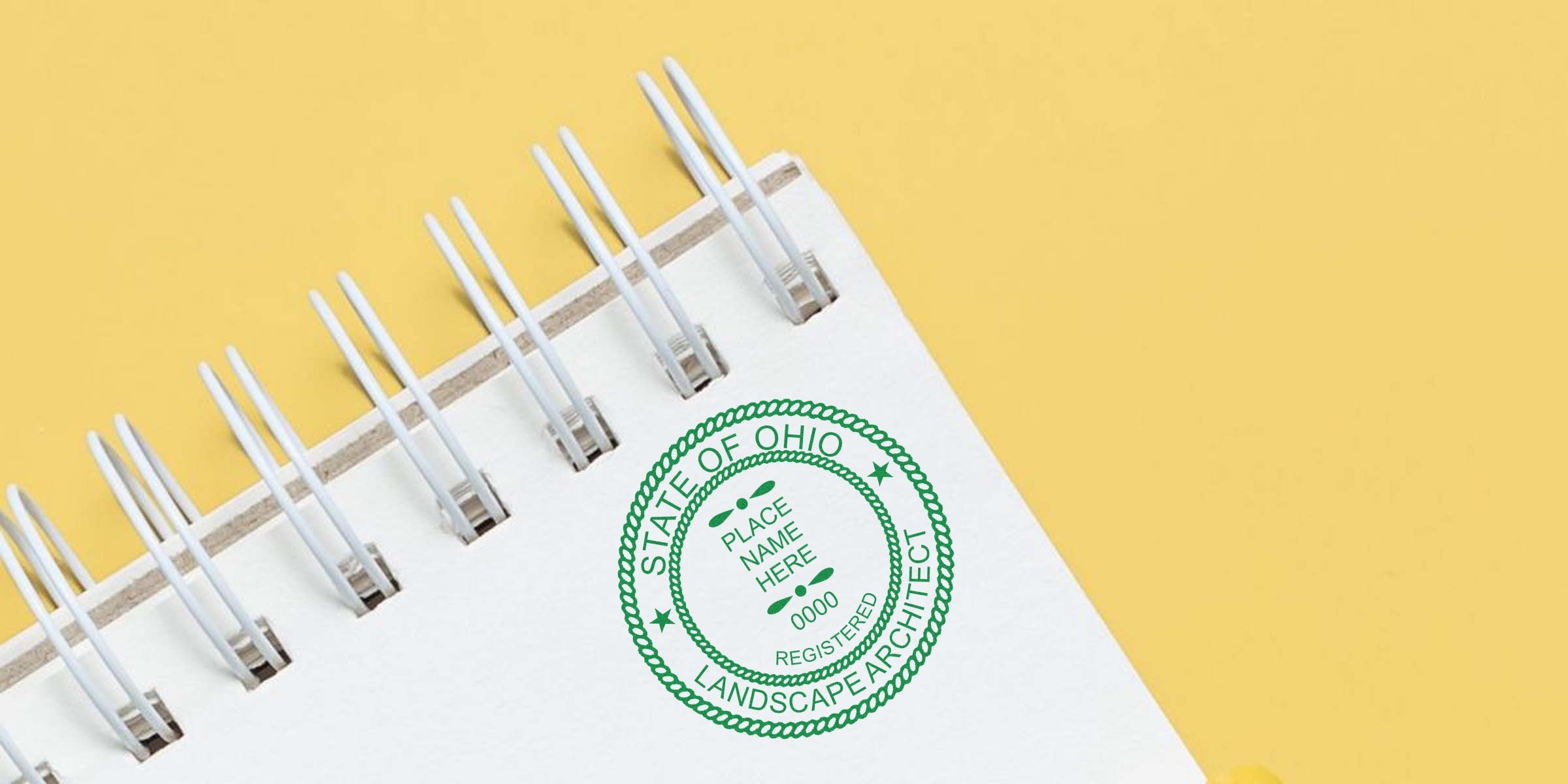
When you need a reliable Ohio landscape architect seal template to meet state regulations, you want something clear, professional, and easy to use. After all, your seal is both a legal requirement and a reflection of your craftsmanship. And let’s be honest, there’s a lot more to stamping your documents than simply pressing a rubber seal onto paper. You have to align with Ohio’s rules, maintain a neat layout, and choose the right design elements that speak to your expertise.
In this guide, you’ll discover how to master the essentials of an Ohio landscape architect seal, explore practical steps to ensure compliance, and find out how to keep your workflow hassle-free. By the time you’re done reading, you’ll have a firm grasp on creating a template that’s ready to go whenever you need it.
Understanding The Ohio Seal Template
The Ohio landscape architect seal template generally includes key pieces of information like your name, license number, and a mention of your credential as a “Landscape Architect.” Some professionals wonder why the state cares so much about the look of a seal. The short answer is that it’s a legal marker of your qualifications. It verifies that you’re officially licensed to practice in Ohio, so any project document bearing your seal indicates your involvement and endorsement.
Think of this template as your personal signature within the field of landscape architecture. It proves that you took the necessary steps to become licensed, and it sets your official work apart from casual advice or unlicensed opinions. Many states, including Ohio, maintain strict guidelines on seal design to prevent confusion and ensure authenticity. Without the correct seal template, your documents may not be recognized or accepted by local authorities.
Why Style Matters
You might be tempted to pick a generic design from the internet. But each state has its own set of rules (or suggestions, at the very least), so you want to be sure you’re following Ohio’s guidelines. The design style matters because it ensures consistency and helps officials quickly recognize your seal. A crisp, well-laid-out template also speaks volumes about your professionalism.
Confirm The Official Requirements
Before you even begin drafting a template, it’s essential to confirm the official rules set out by Ohio’s licensing board. This includes specific details about the seal’s wording, size, shape, or other formatting guidelines. By adhering to these guidelines, you’ll avoid the headache of having your documents rejected simply because your seal doesn’t meet all the technical criteria.
For an in-depth look at the regulatory framework, you can check out these Ohio landscape architect stamp requirements. It’s always better to review them upfront instead of having to revise all your paperwork after the fact.
Common Elements To Check
- Wording: Look for any mandatory phrases like “Registered Landscape Architect.”
- Shape and Size: Confirm any required dimensions, such as a circle with a specified diameter.
- License Number Placement: Ensure your unique license number is legible and placed where directed.
- Department or Board Name: Include references to the state board when required.
Confirming these elements means you’re building a template that will pass any official scrutiny in Ohio. If you’re unsure where to find these details, the state’s website or licensing board often provides direct guidance.
Gather The Right Tools
Once you know what your Ohio landscape architect seal template requires, it’s time to gather the tools you’ll need to make it:
-
Graphic Software
- Options like Adobe Illustrator, CorelDRAW, Inkscape, or similar programs help you design a clear vector image. Vectors ensure your seal won’t look blurry when enlarged or reduced.
-
Reference Materials
- Keep your official license documentation handy. Even small typos in your name or license number can invalidate your seal.
-
Design Templates
- Some professionals start with a pre-made vector or high-resolution file. If you opt for a free template, make sure it matches Ohio’s specifications.
Need a quick tip? If you’re worried about turning your digital design into a physical stamp, plan ahead. A circular or rectangular shape is easiest to replicate on a rubber or embosser stamp.
Why Digital Tools Matter
A well-drafted digital seal fits seamlessly into your electronic workflow. Whether you’re submitting plans online or printing for an in-person meeting, a clear digital file means you won’t have to scramble at the last minute. Plus, digital files are easy to update if your license details change or if new regulations pop up.
Create A Compliant Design
Now that you have your tools, it’s time to carefully design your Ohio landscape architect seal. For a moment, imagine someone reviewing your work: they should instantly recognize the seal’s purpose without tilting their head or squinting to read small text. So, how do you make sure your seal is easily understood?
-
Use Bold Fonts
- Basic sans-serif typefaces (like Arial or Helvetica) are more legible at smaller sizes than decorative fonts.
-
Space Out Text
- Give each line enough room to breathe so letters don’t blur together.
-
Check Contrast
- A high-contrast combo (black text on white background, for example) ensures clarity when printed or scanned.
Remember, your seal isn’t just for show. It protects both you and your clients by ensuring the official nature of your work. If your seal is blurry or missing key text, local agencies might question its legitimacy.
Adding Personal Touches
You might wonder if you’re allowed to add a personal brand twist, like your initials or an icon. Generally, it’s wise to stick to what the state requires. If additional flair doesn’t conflict with Ohio’s rules, you can consider subtle touches. Just be sure you don’t overshadow mandated details, like your license number. Minimalistic and professional designs typically work best.
Explore Physical And Digital Options
One of the biggest perks of mastering your Ohio landscape architect seal template is having options. Your seal can exist purely in digital form, physically on a rubber stamp or embosser, or both. A physical stamp is classic—it’s quick, easy to apply, and widely recognized across the industry. Meanwhile, a digital seal file integrates seamlessly with modern software tools, letting you insert your seal on PDFs or other electronic documents.
Best Practices For Each Format
- Physical Stamp
- Ensure the rubber stamp or embosser firm you choose can replicate fine details accurately.
- Practice on scrap paper to master ink pressure and avoid smudges.
- Digital Seal
- Keep your file in a secure location so only you can use it.
- Save in multiple formats (JPEG, PNG, and vector) to handle different project needs.
If you want a quick solution for both physical and digital seals, consider working with a reputable provider that has experience creating official stamps for Ohio landscape architects. That way, you won’t have to juggle multiple vendors.
Maintain Professional Consistency
Ever look at a set of drawings and realize the text, logos, or seals vary from page to page? Such inconsistencies can raise eyebrows. You want to keep your seal consistent wherever it appears—same size, placement, and overall clarity—so your documents look well-organized.
A standardized seal template is the key to this consistency. Decide on factors like:
- Where on the page your seal will appear (often near a signature or a designated title block).
- What size it will be (large enough for clarity, small enough to stay neat).
- Which color it uses (black is most common, but some prefer a dark blue).
Ultimately, consistency shows your attention to detail. It sets a professional tone for clients, colleagues, and regulatory bodies who might scrutinize your documents. No one wants to see a sloppy or random approach to something as essential as an official seal.
Quick Tip: Batch Your Updates
If Ohio updates its requirements or you need to tweak something (like a newly assigned license number), update all copies at once. That means your master digital copy, any physical stamp designs, and any references in policy documents. This way, your seal never falls out of date.
Get Support From Acorn Sales
When you’re ready to transform your newly designed Ohio landscape architect seal template into a stamp (or when you just need a free digital seal), it helps to have a trusted supplier. That’s where Acorn Sales steps in. We’ve been in business since 1964, providing high-quality stamps and seals that match state regulations.
Our team specializes in Ohio landscape architect seals and stamps, so you can rest easy knowing your design will replicate perfectly. You can even request a free digital seal to keep your projects running smoothly, especially if you frequently submit electronic documents. Because we’ve been doing this for decades, we’ve fine-tuned our production process to capture fine details and legible text on every stamp or embosser.
Why Choose Acorn Sales
- Industry Experience: We have 60+ years of experience delivering official seals to professionals across the country.
- Rapid Turnaround: Our production team understands that project deadlines don’t wait.
- Compliance Guarantee: We stay up to date on Ohio regulations so you don’t have to worry about your seal’s legitimacy.
- Free Digital Seal: If you need a quick electronic seal to attach to your documents, we’ve got you covered at no extra cost.
Got questions about the best stamp type for your firm? Or maybe you’d like to see a digital proof? Our friendly team can guide you through every step—from verifying Ohio’s requirements to shipping your final product.
Review Key Takeaways
If your goal is to streamline the process of creating, using, and maintaining an Ohio landscape architect seal template, here’s a quick wrap-up:
- Confirm exact state regulations before designing your seal.
- Use legible fonts, bold lines, and sufficient spacing to keep your seal crisp.
- Decide whether you want a physical stamp, a digital seal, or both.
- Keep your seal consistent across all documents, ensuring unified branding.
- Partner with a reputable provider like Acorn Sales for expert advice and quick turnaround.
By following these tips, you can produce professional project documents that stand up to Ohio’s licensing requirements. Plus, you’ll have a streamlined method for stamping or attaching your seal whenever you need it.
Feel free to reach out when you’re ready to finalize your own seal or if you need personalized guidance. A compliant Ohio landscape architect seal template is a small but powerful detail that underscores your expertise and protects your professional standing. Happy stamping!
Frequently Asked Questions
What Is The Main Purpose Of The Ohio Landscape Architect Seal?
The seal demonstrates that you’re a licensed professional in Ohio. It shows reviewers, clients, and agencies that your documents are produced under the guidance and accountability of a qualified landscape architect.
Do I Need A Different Seal For Physical And Digital Submissions?
Not necessarily. Many professionals use the same design for both physical and digital seals. Just make sure your digital version can scale properly and is saved in a clear file format (e.g., PNG or vector), so it stays crisp on-screen or in print.
What Happens If I Use The Wrong Seal Template?
Using a design that doesn’t comply with Ohio’s requirements can lead to rejected documents or potential disciplinary actions. Always confirm the guidelines or work with a trusted supplier like Acorn Sales to make sure your seal is valid.
Does Acorn Sales Provide A Free Ohio Landscape Architect Seal Template Digitally?
Yes. Acorn Sales offers a free digital seal to Ohio landscape architects who need an official template. This option is ideal if you frequently work with electronic documents and want a professional stamp without any hassle.








