
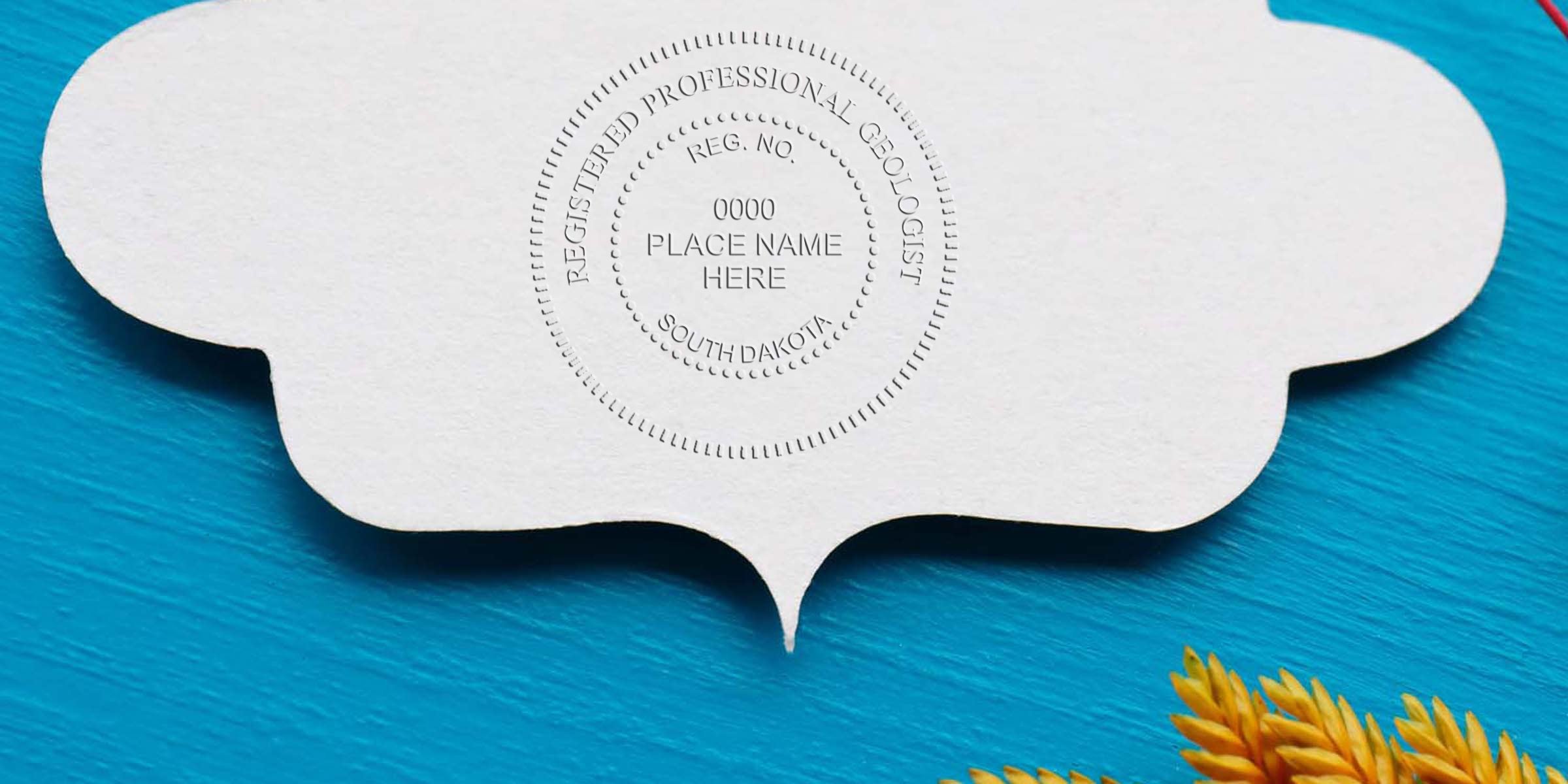
If you’re planning your South Dakota Geologist Seal Design, you probably already know that precision and clarity are non-negotiable. This seal authenticates your professional work, and it needs to meet specific state guidelines. But here’s the thing: many geologists find the rules a bit confusing at first. So, let’s simplify. Below, you’ll discover a friendly, step-by-step overview of what goes into designing a compliant geologist seal in South Dakota, along with tips to keep it all organized.
Embrace Official Requirements
Designing a seal for South Dakota geology work means following state regulations. You want your seal to be recognized as valid, so it’s essential to confirm each rule before finalizing your layout. After all, you don’t want an official document returned because of a small oversight.
Know The Regulations
Why do these rules matter so much? The aim is to protect the integrity of geological work in South Dakota. A properly formatted seal is your professional signature, indicating you stand behind your findings. You’ll typically need your name, license number, and the exact wording mandated by the state board. For more detail, you can check official guidelines or explore south dakota geologist stamp requirements.
Use Consistent Wording
It can be tempting to rephrase the text for aesthetics, but consistency is key. The state typically requires specific wording like “Professional Geologist” or “Registered Geologist.” Even a slight variation might cause confusion. Make sure you confirm your exact licensed title, and then place it clearly within the seal so there’s no question who you are and what you do.
Check Legibility First
When you place your seal on important documents, your text and symbols must stand out. A fuzzy or unreadable seal might cause headaches later—especially if you’re scanning documents or emailing digital versions to clients.
Select A Crisp Font
Many geologists prefer classic serif or sans serif fonts that remain sharp when reduced or enlarged. It’s usually best to avoid overly decorative lettering that could get smudged or appear dull when printed in black and white.
Inspect Ink Quality
Ever notice how some seals look faded, even while others pop right off the page? Quality ink, along with a well-maintained stamp, preserves clarity. If you’re using an embossing seal, give it a quick test on a piece of scrap paper now and then. Proper upkeep prevents those partially stamped disasters and keeps your images crisp.
Choose The Right Layout
When it comes to design, the layout is more than just “making it look nice.” The seal typically highlights your name and license information front and center. From there, the circle or shape frames the text in a consistent pattern.
Embrace A Standard Circle
Why a circle? Circles are easy to recognize, simple to align on documents, and accepted as a uniform style. Sometimes you’ll see an oval or a rectangular shape, but unless the state board allows it, your safest option is the standard round seal. It’s neat, official-looking, and fits seamlessly on page margins.
Balance Text And Graphics
If you include any graphic elements—like small icons or geological symbols—ensure they don’t distract from your licensure details. The main intent is to certify work, not to show off an elaborate design. There’s no harm in adding a tasteful icon if the regulations permit, but always keep your name, license number, and board designation the focal point.
Include Correct Wording
Words matter in official seals. From “State of South Dakota” to “Professional Geologist,” every letter should be accurate. Missing or misspelled words can invalidate your seal, so pay attention to spelling, punctuation, and spacing.
Required Phrases
The state might ask for phrases like “State of South Dakota” or “Licensed Professional Geologist.” If you omit or change them, your seal might be rejected. Check your board’s official guidelines again for exact language, and verify you’ve used the right capitalization.
Double-Check Name Formatting
Got a middle initial? Make sure your license name matches the one registered with the state. If you go by “John A. Smith” officially, don’t shorten it to “J. Smith” on your seal without confirming that’s allowed. Consistency across all legal documents helps keep your licensing record squeaky clean.
Note The Importance Of Borders
Simple lines usually do the trick, but the thickness or style of your circle border can influence readability. Thick borders might crowd the letters, while super-thin lines can fade over time.
Explore Thickness Options
Try printing a sample of your prospective seal in both small and large sizes. Is your circle too bold, making the text harder to read? Or is it so thin that your text stands out too much? Aim for a balance that highlights your details without overwhelming them.
Use A Clean Interior
Some geologist seals feature a single ring, others a double ring. You can pick either, provided you follow state guidelines. But keep your inner space open enough for your text. Spacing that’s too tight often leads to unclear or cramped lettering.
Verify Spellings And Numbers
A single typo can derail an important client project. Imagine submitting a finalized report, only to learn your license number is missing a digit.
Proofread Thoroughly
Yes, you can also have another geologist or colleague glance at the seal. Fresh eyes often catch small mistakes you might miss. Double-check your full name, your license number, and the wording “Professional Geologist,” “Registered Geologist,” or whatever is mandated.
Try A Test Print
Print a couple of pages and stamp or emboss them to simulate real-world use. Is everything aligned properly? You’ll get a better sense of the final product once ink meets paper. If you make adjustments, do another test. It’s worth the few minutes extra to ensure perfection.
Store Your Seal Properly
A well-crafted seal deserves proper care. After all, you might not stamp documents daily—maybe just a few times a month or even less. Keeping your seal in good condition prevents smudges, broken embosses, or dried-out ink.
Keep It Clean
Dirt or dust can clog your seal’s details, so store it in a protective case or a sealed bag. Wipe it gently with a dry cloth if needed. An embossing seal might gather small paper flecks in its grooves, so an occasional check keeps impressions crisp.
Avoid Extreme Temperatures
Did you know leaving your seal in a hot car could deform the rubber or cause ink to dry out? Similarly, extreme cold might make embossing plates less flexible. Aim for room temperature storage. If you’re traveling with your seal, wrap it snugly and keep it with your important documents.
Consider A Free Electronic Stamp
With so many geologists working remotely or sending digital reports, an electronic stamp can save you time. Instead of physically stamping every page, you can place a digital version of your seal on PDFs or other documents. It’s quick, convenient, and easy to replicate.
Check Legality And Security
Yes, electronic seals are widely accepted, but confirm that your state board allows digital stamping. In many cases, you may need a secure electronic signature platform. Also, be mindful of file security. You don’t want someone copying your seal without authorization.
Use A Trusted Provider
At Acorn Sales, we offer a free electronic stamp with your purchase. That means you can get a perfectly formatted seal for real-world documents and a matching digital version for online use. Having both ensures you cover your bases, especially if your workflow includes both printed and digital reports.
Rely On A Trusted Supplier
Creating a compliant geologist seal can feel overwhelming if you’re handling design and manufacturing alone. Allowing a professional supplier to take the lead can be a relief—especially if that supplier has been around long enough to know the ins and outs of each state’s requirements.
Acorn Sales As Your Partner
We’ve been in business since 1964, which means we’ve seen—and stamped—it all. Our team understands the finer points of state guidelines, and we’ll help you craft a seal that’s perfectly sized and formatted. Plus, you’ll get that free electronic seal file for digital submissions. If you have specific questions, our friendly support is there to help remove the guesswork.
Peace Of Mind Guarantee
You want this seal to last for years, so quality is key. We take pride in delivering products that hold up through repeated use and pass muster with the state. Whether it’s ink stamps or embossing seals, having a partner who focuses on durable materials and precise craftsmanship can save you money and stress down the road.
Use A Quick Reference Checklist
Sometimes you just need a concise list. Use the table below as a final once-over before placing your seal order or application. If you can check every box, you’re on the right track.
| Task | Description | Checked? |
|---|---|---|
| Confirm Required Wording | Make sure official titles and phrases are correct | |
| Verify Name And License | Triple check spelling and license number | |
| Ensure Legibility | Test print and confirm text is clear | |
| Pick Acceptable Shape | Generally a circle layout unless state allows more | |
| Select Proper Border | Thickness or style that makes text easy to read | |
| Consider Digital Version | Free electronic stamp to streamline your workflow | |
| Check Ink Or Plate Quality | High-quality materials for lasting impressions |
Reviewing this table before finalizing your purchase is a simple way to avoid common pitfalls. Think of it like a safety net, so you can focus on the bigger picture—delivering great geological work.
Final Thoughts
Designing a South Dakota geologist seal doesn’t have to be stressful. Whether you’re a brand-new licensee or an experienced professional updating an old design, a well-made seal adds the right polish to your reports. You’ll look (and feel) more official, and your clients will see your dedication to meeting all the necessary rules.
When you’re ready to place an order or just want a trusted source of advice, keep Acorn Sales in mind. We offer you that peace of mind that comes with decades of experience—plus a free electronic seal to cover any digital reporting needs. Go ahead and check one thing off your to-do list by ensuring your seal follows the guidelines, looks fantastic, and lasts for years.
That’s it—you’re all set to finalize your seal. Give each detail the attention it deserves, and you’ll have confidence in every report you sign. If anything still feels unclear, don’t hesitate to reach out for help. Your professional reputation is worth that extra step, right? Take a breath, review your checklist, and stamp away!
Frequently Asked Questions
Do I Need A Specialized Layout?
You do need to match South Dakota’s specified wording and format, but you may have some freedom with border styles and fonts. Always confirm your design with the state board or a reliable supplier before ordering.
Can I Use A Digital Seal On All Documents?
Electronically stamping your documents is often acceptable, especially for digital submissions. However, some situations might still require a physical stamp or embossing seal. Double-check with your board and clients to ensure your method is recognized.
What If I Change My Name After Licensing?
If you legally change your name, you’ll likely need to update your licensing records and get a new seal. Make sure to follow the state’s procedures so your seal remains valid and all your documents stay above board.
Where Should I Buy My Seal?
It’s best to go with a supplier who understands South Dakota’s standards. Acorn Sales has been around since 1964, and we offer free electronic stamps, plus personalized support to ensure you get the exact seal you need.








