
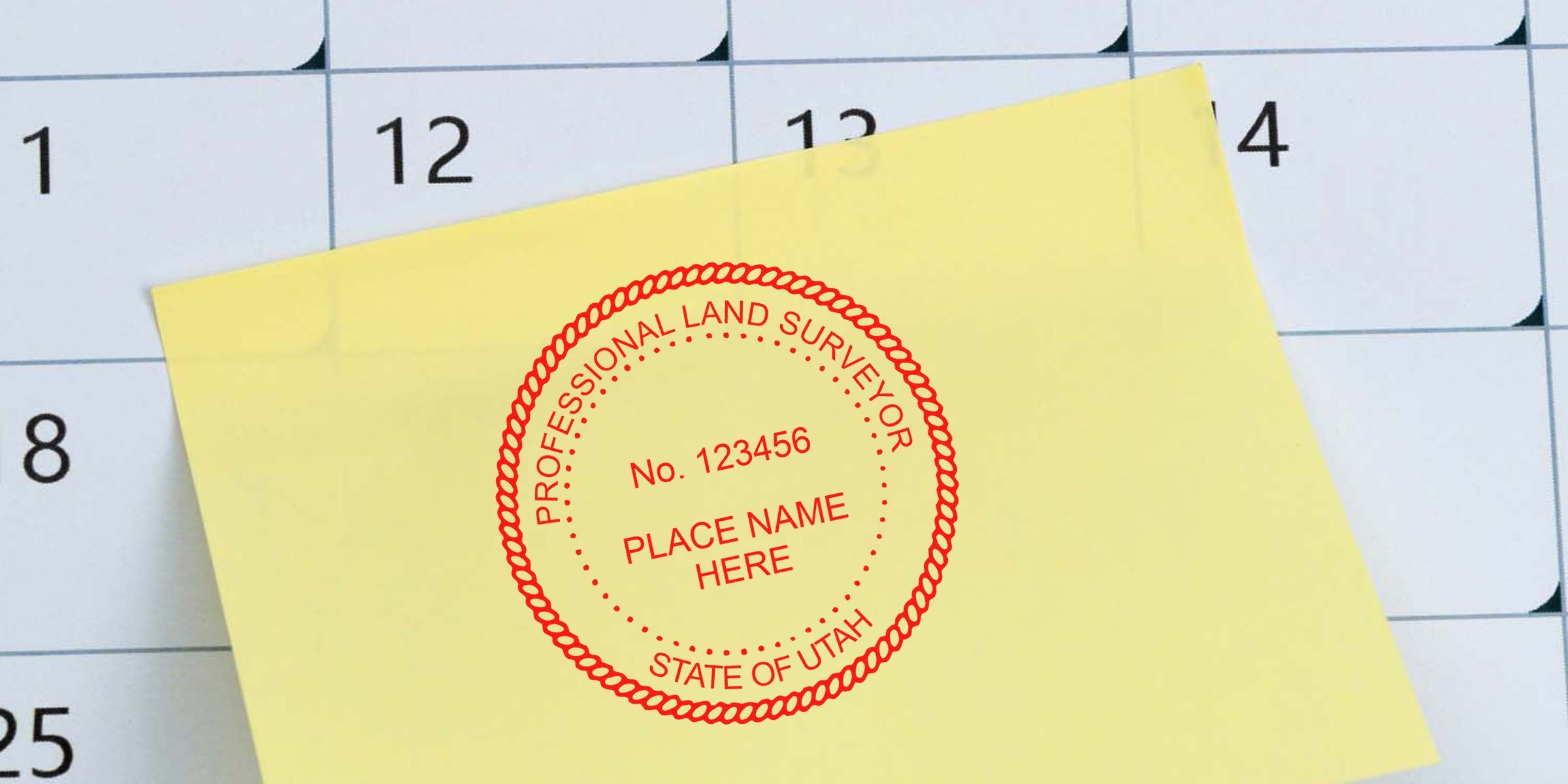
If you’re exploring a career in land surveying or already practicing in Utah, you’ve probably wondered about the best way to finalize your professional documents. That’s where a “Utah land surveyor seal template” comes in. A consistent, state-approved stamp or seal doesn’t just look official, it also affirms that you’re meeting regulatory standards every time you mark a blueprint, boundary report, or legal file. In other words, it can save you from plenty of future headaches, whether you’re signing off on a simple backyard boundary or tackling bigger commercial projects.
In Utah, precision and clarity matter. Any misstep in your seal’s design or placement could bring your work under scrutiny or, worse, invalidate a survey. By setting up an accurate and reliable seal template, you’ll protect both your professional standing and the validity of your documents. The sooner you ensure you have the right layout, text, and credentials clearly displayed, the smoother your projects will run. Next, let’s break down how these seals work, which guidelines you have to follow, and how you can keep your practice running at peak efficiency.
Recognize The Role Of Surveyor Seals
Seals serve a deeper purpose than just making documents look more official. When you place your seal on a survey, you effectively confirm the accuracy of that information. To the public, that impression of authenticity is crucial, since your stamp helps prove who prepared the survey, verified the measurements, and took responsibility for the final layout. It’s a handshake of trust between you and the people who rely on your expertise.
On top of that, a professional seal often satisfies legal or contractual requirements. State regulatory boards typically insist that only licensed land surveyors affix these stamps to ensure that the right experts stand behind every submission. Without a properly executed seal, you may find your hard work gets delayed or rejected, especially if it’s for a major project that lines up investors, government offices, or other engineers.
In practical terms, your seal marks the boundary between a rough draft and a final product. Think of it like confirming that your blueprint is fit for presentation or that your boundary lines reflect the most accurate measuring methods. It’s a moment of pride, too, since it says, “I stand behind this work without reservation.” Whether you’re mapping for a local development or verifying property lines for a new homeowner, your seal completes the big picture.
Ultimately, if you consider what your seal symbolizes—professionalism, reliability, and accountability—it’s an indispensable tool. When you handle your seal properly, you’re not just rubber-stamping forms; you’re fortifying your reputation. This is particularly true in Utah, where regulations can be strict. Keep reading to explore how a reliable template takes the guesswork out of meeting those rules.
Appreciate A Reliable Template
When you’re busy juggling multiple survey projects, the last thing you want is endless back-and-forth over whether your seal meets the official checklist. A strong, well-designed template means you hit all the critical details from day one. It’s like having a ready-to-go master file that you can adapt for each assignment without risking compliance oversights.
Selecting or creating the right seal layout usually involves more than just picking a circle and dropping some text. You want a design that respects Utah’s requirements for shape, size, and wording. Beyond that, you want a template that’s easy to reproduce. If you’re stamping many documents during the week, a crisp and readable imprint saves you time and presents a polished look, especially to regulators or clients carefully reviewing your work.
A template also prevents small but serious errors in label positioning or license data. One common pitfall is misaligning your license number so it appears partially cut off or hidden in the border. Another is formatting text so tiny that it’s barely readable when printed or photocopied. Having a standardized file makes these slip-ups far less likely. You’ll know exactly where your name and license number will sit each time you press your stamp or finalize your digital seal.
Additionally, a reliable template offers uniformity. If your seal looks different on every page, or if your digital version doesn’t match the physical stamp, that inconsistency can raise red flags. By opting for a single design platform, you ensure that each impression reflects the same brand essence, from its color to the mandatory text. In land surveying, uniformity builds trust, showing that you operate under a coherent, carefully maintained system.
Finally, it’s simply less hassle. By having a dependable seal template, you can focus on the most important aspects of your job, like verifying boundary posts or checking geodetic control. Your seal becomes one seamless part of your workflow, rather than a frustrating wildcard that might slow you down during critical deadlines.
Adhere To State Guidelines
Every state has its own protocols for how land surveyors create and use their seals, and Utah is no exception. You need to be sure you’re meeting these requirements before you put your mark on any document. If you’re unsure where to start, check out helpful resources like utah land surveyor stamp requirements to see what’s explicitly expected. This guidance typically covers information about the mandatory shape of the seal, size limitations, and wordings that must appear.
Because Utah’s regulations can change, it’s wise to keep an eye on updates from the state’s professional board for surveyors. They usually publish any changes on their official site, whether that’s a new labeling requirement or a shift in how to format your license number. Even minor tweaks matter. Sometimes, forgetting to include “Professional Land Surveyor” in the correct spot can render your survey invalid. Avoiding that headache is usually just a matter of staying informed.
One crucial element is ensuring your template includes your full legal name and corresponding license number exactly as registered. The state board doesn’t take kindly to abbreviations or nicknames that deviate from your official licensing documents. Also, remember that once you stamp or seal a document, you’re essentially certifying it. If you’re a licensed professional working at a firm with multiple surveyors, never let anyone else use your personal seal. It’s non-transferable and unique to your credentials.
On top of these general rules, there could be additional guidelines about digital signatures. With so much work happening online, many professionals either pair their physical stamp with an electronic certificate or choose an approved digital seal. Whichever path you take, the biggest takeaway is consistency. If the state board requires certain wording to appear in your seal, be absolutely certain it’s on every single one of your final documents.
These guidelines might feel like extra hoops to jump through, but they’re also meant to protect you, your clients, and the integrity of the professional community. After all, an official seal that’s easy to identify and verify benefits everyone. It can sharpen your credibility and help you avoid disputes that come from a botched or confusing stamp impression.
Identify Essential Design Elements
A top-notch seal layout generally merges clarity and compliance. The first detail you’ll need is the exact text describing your role, something like “State of Utah,” “Licensed Professional Land Surveyor,” and your license number. This is often arranged around a central emblem or in a circular border so that the important words are easy to spot. Some states require a specific phrase like “Utah Professional Surveyor,” so double-check that you’re using the correct wording.
Below is a quick list of design elements you’ll likely need:
- Your Full Name: As it appears on your licensure.
- Your License Number: Double-check the digits and formatting.
- State Identifier: Clearly mention “Utah” if required by the board.
- Professional Title: For instance, “Licensed Land Surveyor” or “Professional Land Surveyor.”
- Outer Ring: This helps frame the text and keep the layout clean.
- Legible Font: Avoid fancy or cursive fonts that could obscure readability.
Placement also plays a big role. Some license boards specify that your name and license number must hold prime positions within the seal. If your number is buried at the bottom or overshadowed by a large logo, you risk creating confusion. Colored ink is occasionally permissible, but keep in mind most official seals appear in dark or black ink. This ensures clarity on scanned or photocopied documents, which is critical for archival and legal records.
Next, consider the size constraints. A typical seal diameter might range between 1.5 to 2 inches. If yours is too large, it may take up too much real estate on the document. If it’s too small, your text becomes illegible. Settling on a standard dimension with your template will help you avoid accidentally squashing or stretching the design. Remember, consistency in size across all your documents reinforces your professional brand.
Finally, decide if you want a digital version along with the physical stamp. Digital seals can include the same circular design but seamlessly integrate into PDFs and other electronic files, which is ideal when you’re submitting plans via email. Some surveyors keep both a standard rubber or self-inking stamp and a digital file, ensuring they can handle any workflow. Either way, your design elements should remain the same, preserving your official identity with every impression.
Benefit From Acorn Sales
If you’re looking for a trusted supplier to help you navigate Utah’s stamping requirements, consider Acorn Sales. Since 1964, Acorn Sales has been providing professionals with dependable and high-quality stamping solutions across various industries. Over the decades, they’ve honed their craft so you can rest easy knowing you’re getting the absolute best in reliability and clarity. Their product line includes Utah Land Surveyor stamps and seals specifically made to meet or exceed state standards.
One of their standout services is the free digital seal that accompanies many of their physical stamp products. This perk is especially handy if you find yourself working with clients who prefer electronic files or who need digital submissions for local governmental offices. Rather than scrambling to figure out how to create a digital version on your own, you’ll have a matching e-seal ready to go.
Moreover, at Acorn Sales, you can customize your seal design to match the exact state licensing guidelines. They’re well-versed in the typical wording, size, and format that Utah expects. If something seems confusing or you’re not sure how to arrange your license number, their team can walk you through it. This eliminates guesswork and reduces the chance of producing an incorrect stamp that might cause trouble down the road.
Above all, reliability is key. You want a seal that won’t fade easily and a digital file that stays sharp no matter how often it’s printed. With Acorn Sales, you know you’re getting a product that’s built to last. Because they’ve consistently served land surveyors and other professionals for decades, you can count on a smooth experience from ordering through final delivery. The result? More time to do the work you love and fewer worries about your official sealing process.
Obtain Your Seal Template
So how do you actually get your hands on a proper template? The good news is that securing a reliable format doesn’t have to be difficult. Let’s walk through a simplified step-by-step method you can follow:
- Gather Your Information: Start with the essentials, including your full legal name, license number, and any specific wording that the Utah board of land surveyors mandates.
- Select A Reputable Vendor: Look for companies like Acorn Sales that have proven expertise in land surveyor seals. Read customer reviews to gauge satisfaction and ensure they provide a free digital seal, which can be a major plus for modern workflows.
- Review State Requirements: Double-check the shape, size, and text details required in Utah. It helps to print out or bookmark official guidelines so you don’t miss a single item.
- Collaborate On The Design: Work closely with the vendor to finalize your seal’s appearance. Confirm the outer ring, lettering arrangement, and any optional design elements (like a small state emblem), so everything is 100 percent accurate.
- Approve The Final Proof: Once you receive a proof design, examine it carefully. Make sure each word is spelled correctly, your license number stands out, and the overall look is crisp.
- Choose Physical Or Digital (Or Both): Decide if you need a self-inking stamp, a traditional rubber stamp, or just a high-resolution digital file. A lot of surveyors opt for both, ensuring maximum versatility.
- Test It: Stamp a few sample documents, or test the digital seal on a computer file to confirm clarity. This step is crucial in catching alignment issues or size concerns, so don’t skip it.
By following these steps, you’ll have a professional seal template that’s ready to go whenever you need it. Not only does this process streamline your day-to-day tasks, it also bolsters your credibility. A well-designed seal leaves no ambiguity in your official documents, letting clients and authorities instantly know who stands behind all that data.
Maintain Your Professional Stamp
Once you have your template in place, your work doesn’t end there. Maintenance is key to ensuring your seal remains a trustworthy mark of your expertise. Over time, physical stamps can degrade. Ink can dry out, rubber can wear down, and if you’re not careful, you might end up with a blurry or incomplete impression.
To avoid these pitfalls, consider these quick tips:
- Store Properly: Keep your stamp in a cool, dry place, away from direct sunlight. Heat can warp the rubber and cause the ink to dry prematurely.
- Check Ink Levels: If you’re using a self-inking stamp, monitor the reservoir. Low ink creates uneven imprints that can obscure your license number or text.
- Clean Regularly: Gently wipe away any dust or ink residue. A clogged stamp often leads to smudged edges.
- Stay Updated With Rules: Revisit Utah’s guidelines occasionally to ensure you haven’t missed any new or revised seal requirements.
- Monitor Your License: If your license number changes or you receive an update from the board, you’ll likely need a revised template.
Even digital seals require periodic updates. If you modify your legal name, or if the board changes the official text or disclaimers, you’ll need to revise your electronic files as well. It’s best to keep a small log or set reminders so you’re in tune with any updates that might affect how your seal should appear. By taking care of these little tasks, you ensure that every time you apply your seal, it conveys the same professional message you originally intended.
Conclusion And Next Steps
A surefooted seal strategy can be a genuine game-changer for your land surveying practice in Utah. Having a dependable seal template saves you from legal hiccups and fosters confidence in your work. Whether you’re marking a quick boundary check for a neighbor or overseeing a major infrastructure project, your seal signals that you take professional standards seriously.
If you haven’t already, start by organizing your data—your name, your license number, the official wording. Next, consider partnering with a provider like Acorn Sales to guide you through the design process. Don’t underestimate the usefulness of having a digital version of your seal, either. It can dramatically simplify document submission for clients and municipal offices.
The bottom line is you don’t want to scramble every time you need to affix your professional mark. By setting up a clear, consistent seal template now, you’ll be well-prepared for future projects and keep your focus on what you do best: delivering precise, reliable surveying results. Take that step today, and you’ll thank yourself the next time you finalize an important set of documents.
Absolutely. Acorn Sales has been in business since 1964, assisting surveyors with stamps and seals that meet state regulations. They’ll help you customize your seal so it’s aligned perfectly with Utah’s standards while reflecting your personal credentials.
Frequently Asked Questions
How Do I Know If My Seal Is Approved By Utah?
You’ll want to check Utah’s official guidelines for land surveyors. Make sure your seal aligns with the required size, wording, and design elements. Also, take a look at utah land surveyor stamp requirements to confirm you meet all relevant rules.
Can I Use A Digital Seal Instead Of A Physical Stamp?
Yes, in many cases. Utah acknowledges digital seals as long as they follow state regulations. It’s still wise to keep a physical stamp on hand for situations where original paper documents are required.
Why Is The Free Digital Seal From Acorn Sales Helpful?
A free digital seal ensures you don’t have to create one from scratch. It matches your physical stamp design, making it easy for government offices and clients to confirm authenticity on electronic documents.
What Happens If My License Number Changes?
Any major change in your licensing details—like a new license number—means you’ll need an updated seal template. Failing to refresh your seal with the correct information could invalidate your documents.








